

Introduction
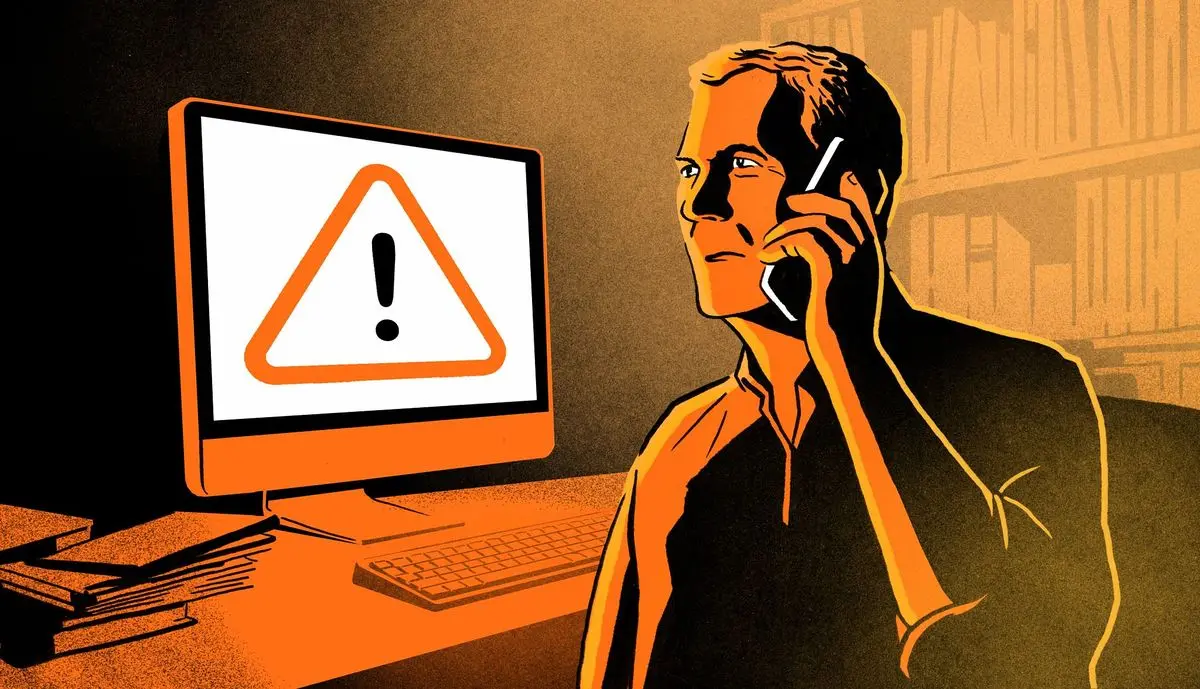
A scam attempt can happen to anyone, no matter how careful they are online or offline. Whether it is a fake message, a phishing email, a fraudulent call, or a suspicious payment request, the moment you realize you may have been targeted, it can feel stressful and confusing. Knowing what to do after a scam attempt is extremely important because quick action can protect your money, identity, and personal information from further damage.
In today’s digital world, scams are becoming more advanced and harder to detect. Cybercriminals use emotional tricks, fake urgency, and professional-looking messages to fool people. This is why understanding what to do after a scam attempt is not just helpful, but necessary for everyone who uses the internet, banking apps, or mobile communication.
This guide will walk you through everything step by step. You will learn how to respond immediately, how to secure your accounts, how to report the incident, and how to prevent future attacks. By the end, you will have a clear action plan that can protect you in real situations.
What is What to Do After a Scam Attempt?
Understanding what to do after a scam attempt means knowing the correct actions to take immediately after you suspect or confirm that someone tried to trick you into sharing personal information, money, or access to your accounts.
A scam attempt can include:
- Fake banking messages asking for OTPs
- Fraud calls pretending to be government officers
- Phishing emails designed to steal passwords
- Fake online shopping websites
- Social media impersonation scams
The goal of what to do after a scam attempt is to reduce damage, protect sensitive data, and stop further exploitation. Even if you did not lose money, taking the right steps ensures your identity and accounts remain safe.
In simple terms, what to do after a scam attempt is a recovery and protection process that helps you regain control of your digital and financial security.
Why is What to Do After a Scam Attempt Important?
Knowing what to do after a scam attempt is extremely important because scams can escalate quickly. Even a small mistake, like clicking a malicious link, can lead to serious consequences such as hacked accounts or stolen funds.
Here are the key reasons why it matters:
- Prevents financial loss and unauthorized transactions
- Protects personal data like CNIC, passwords, and bank details
- Stops scammers from continuing access to your accounts
- Helps authorities track and report fraud activities
- Reduces long-term risks like identity theft
Many people ignore early warning signs and delay action, which makes the situation worse. Acting immediately after a scam attempt increases your chances of minimizing damage.
Detailed Step-by-Step Guide
Step 1: Stay Calm and Assess the Situation
The first step in what to do after a scam attempt is to remain calm. Panic can lead to poor decisions like deleting evidence or ignoring important alerts.
Ask yourself:
- Did I share any information?
- Did I click a suspicious link?
- Was any money transferred?
Understanding the situation clearly will help you take the right actions.
Step 2: Secure Your Accounts Immediately
Change passwords for all important accounts such as:
- Email accounts
- Online banking
- Social media profiles
- Shopping accounts
Enable two-factor authentication wherever possible. This adds an extra layer of security.
Step 3: Contact Your Bank or Payment Provider
If financial details were involved, inform your bank immediately. Many banks can freeze transactions or block cards to prevent further loss.
This is one of the most critical parts of what to do after a scam attempt because timing matters.
Step 4: Report the Scam
Report the incident to relevant authorities or cybercrime units in your country. Provide all details, including:
- Phone numbers used by scammers
- Emails or messages received
- Screenshots or transaction details
Reporting helps prevent others from becoming victims.
Step 5: Scan Your Devices
Run a full antivirus scan on your phone or computer. This ensures no malware or spyware is installed.
Step 6: Monitor Your Accounts
Keep checking your:
- Bank statements
- Email activity
- Login alerts
Monitoring helps detect any suspicious activity early.
Benefits of What to Do After a Scam Attempt
- Helps protect financial assets
- Reduces long-term identity theft risks
- Improves digital security awareness
- Prevents repeated scam attempts
- Builds better online safety habits
Understanding what to do after a scam attempt gives you confidence in handling future threats effectively.
Disadvantages / Risks
- May take time to recover accounts
- Emotional stress after being targeted
- Possible temporary loss of account access
- Need for constant monitoring after the incident
- Risk of repeated scam attempts if precautions are weak
Despite these challenges, taking action is always better than ignoring the problem.
Common Mistakes to Avoid
Many people make errors after a scam attempt that worsen the situation. Avoid these mistakes:
- Ignoring the scam and hoping it goes away
- Delaying password changes
- Sharing more personal information with scammers
- Deleting messages or evidence too early
- Not informing the bank or authorities
- Using weak or repeated passwords
Avoiding these mistakes is a key part of what to do after a scam attempt effectively.
FAQs
1. What should I do immediately after a scam attempt?
You should secure your accounts, change passwords, and contact your bank if needed.
2. Can scammers access my account after a failed attempt?
Yes, if you shared sensitive data, they may still try to access it.
3. Should I report a scam attempt even if I lost nothing?
Yes, reporting helps protect others and may prevent future attacks.
4. How can I know if my device is hacked?
Slow performance, unknown apps, or unusual activity may be warning signs.
5. Is it safe to reuse old passwords after a scam attempt?
No, always create new and strong passwords for better security.
6. What is the most important step in what to do after a scam attempt?
The most important step is immediately securing your accounts and financial information.
Expert Tips & Bonus Points
Experts recommend the following additional steps:
- Use password managers for strong credentials
- Enable instant banking alerts
- Avoid clicking unknown links or attachments
- Regularly update software and apps
- Educate yourself about common scam techniques
- Keep backup copies of important data
One powerful tip in what to do after a scam attempt is to assume that all compromised information must be replaced or secured immediately.
Conclusion
Understanding what to do after a scam attempt is essential in today’s digital world where fraud is increasing every day. Scammers are becoming more advanced, but with the right knowledge and quick response, you can protect yourself effectively.
The key is to act fast. Secure your accounts, inform your bank, report the scam, and monitor your activity regularly. Even if no financial loss occurs, taking preventive action ensures your safety in the long run.
Many people ignore early warning signs, but those who know what to do after a scam attempt are always better prepared to handle digital threats. Building strong security habits and staying alert can make a huge difference in protecting your identity and money.
